Memorize the Bible.
Study it. Know it.
Ingrain is a Bible memorization app, a full offline study Bible, and a Bible trivia game — in one place. Start in a minute a day, free, with no account.
Free to start · No account required · 7-day free trial on Ingrain+
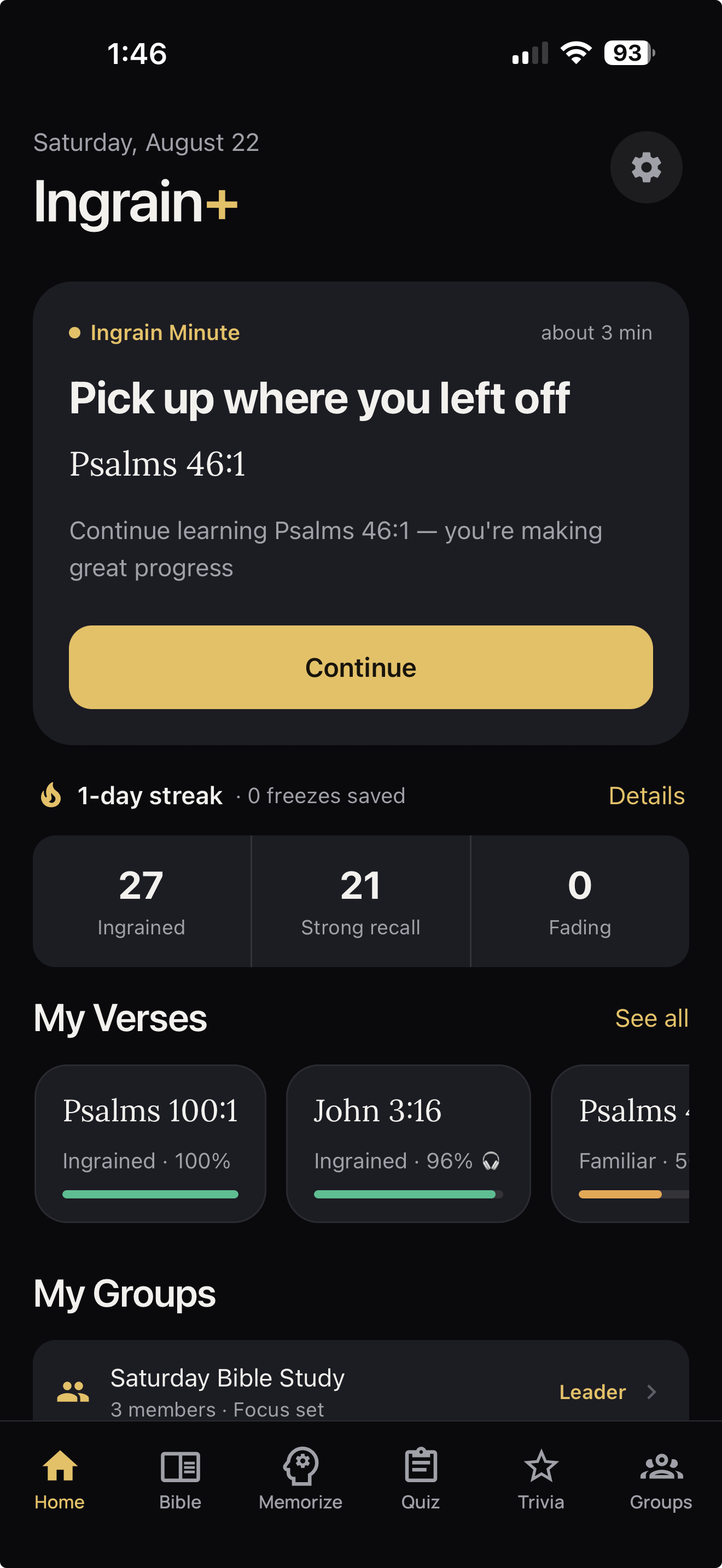
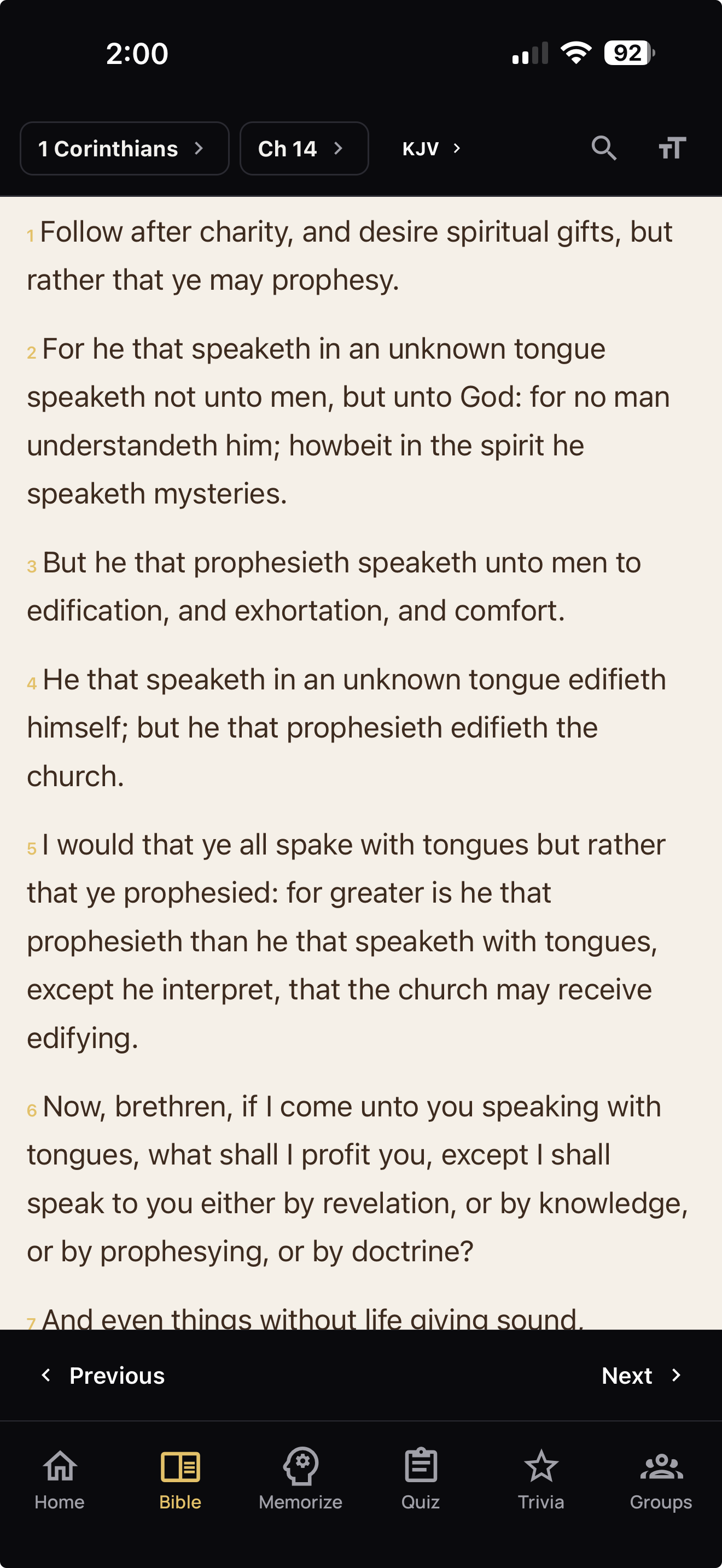
Three apps, one download
Ingrain is a free Bible memorization app for iPhone, Android and the web. It combines spaced-repetition Scripture memory, a complete study Bible with seven translations, and a Bible trivia game — so you’re not paying for or switching between three separate apps.
A Bible memory app that actually sticks
Ten kinds of practice, scheduled by spaced repetition so each verse returns right before you’d forget it.
- Hands-free audio practice while you drive or walk
- Long verses split where you choose
- Whole chapters and passages, built in order
- One minute a day is a complete session
A full study Bible, offline
Seven translations with real study tools — not a stripped-down reader bolted onto a flashcard app.
- Strong’s Hebrew & Greek on any word
- Cross-references and a Bible dictionary
- Parallel translations side by side
- Search, highlights and favorites
Works offline
Bible trivia worth playing
Questions across the whole Bible, with XP, ten levels and a Study Map — a way to keep the habit on a tired evening.
- A Daily Challenge with bonus XP
- Custom rounds by category
- Ten levels, from Seedling to Cornerstone
- Counts toward your daily streak
Works offline
How Ingrain helps you memorize Bible verses
Reading isn’t remembering. Ingrain brings each verse back at widening intervals — a day, then three, then a week — so it moves from recognition into recall. You don’t plan a thing.
Practice with your hands full
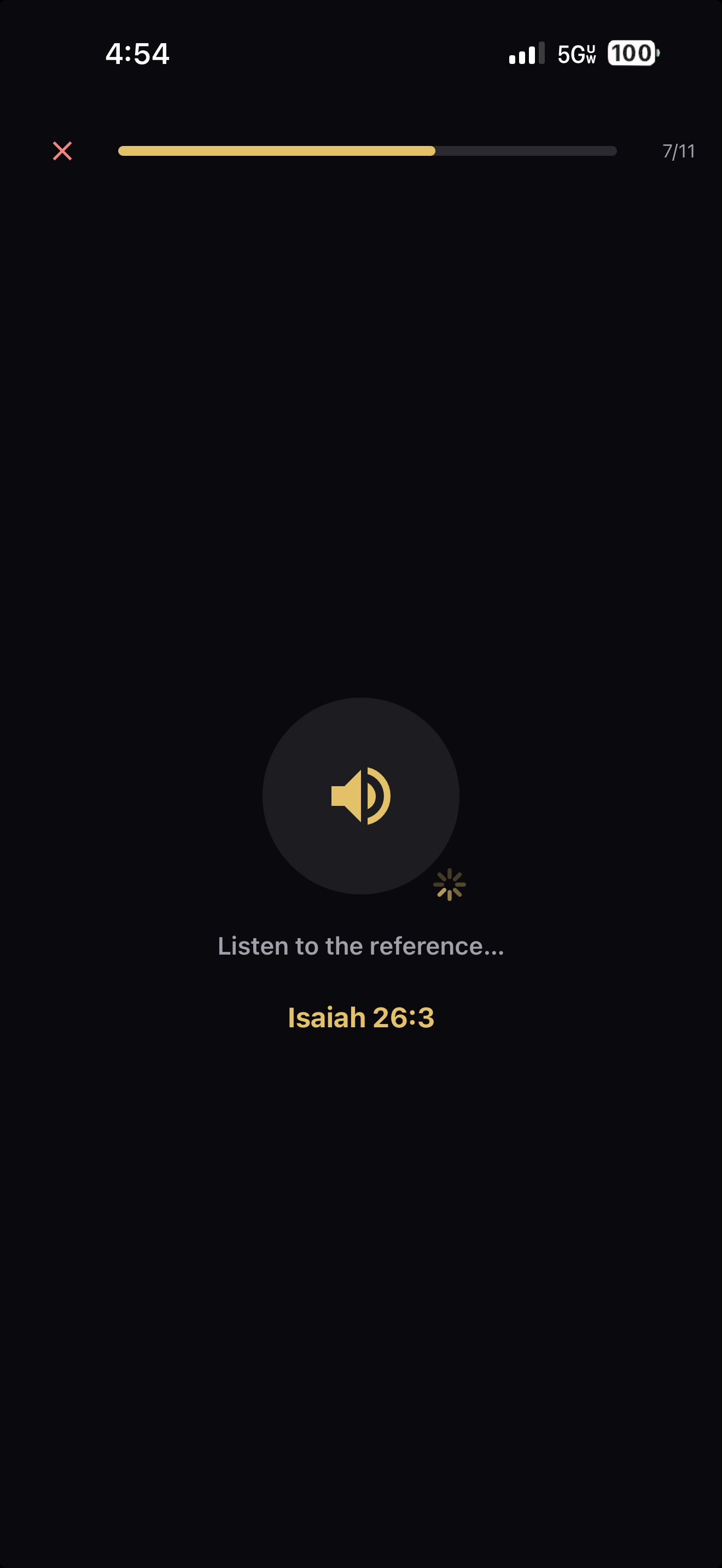
The feature people stay for. Hands-free sessions speak the reference, read the verse, chime, then leave you a silence to recall it — through your car speakers, headphones or Lock Screen controls.
- Two to five rounds per verse, one to three verses a session — you set it before you start.
- Nothing to look at. You recall in your mind; a short on-screen review afterwards confirms what stuck.
- Your voice stays on your device. Speech recognition in Speak It never leaves your phone.
Long verses stop being impossible
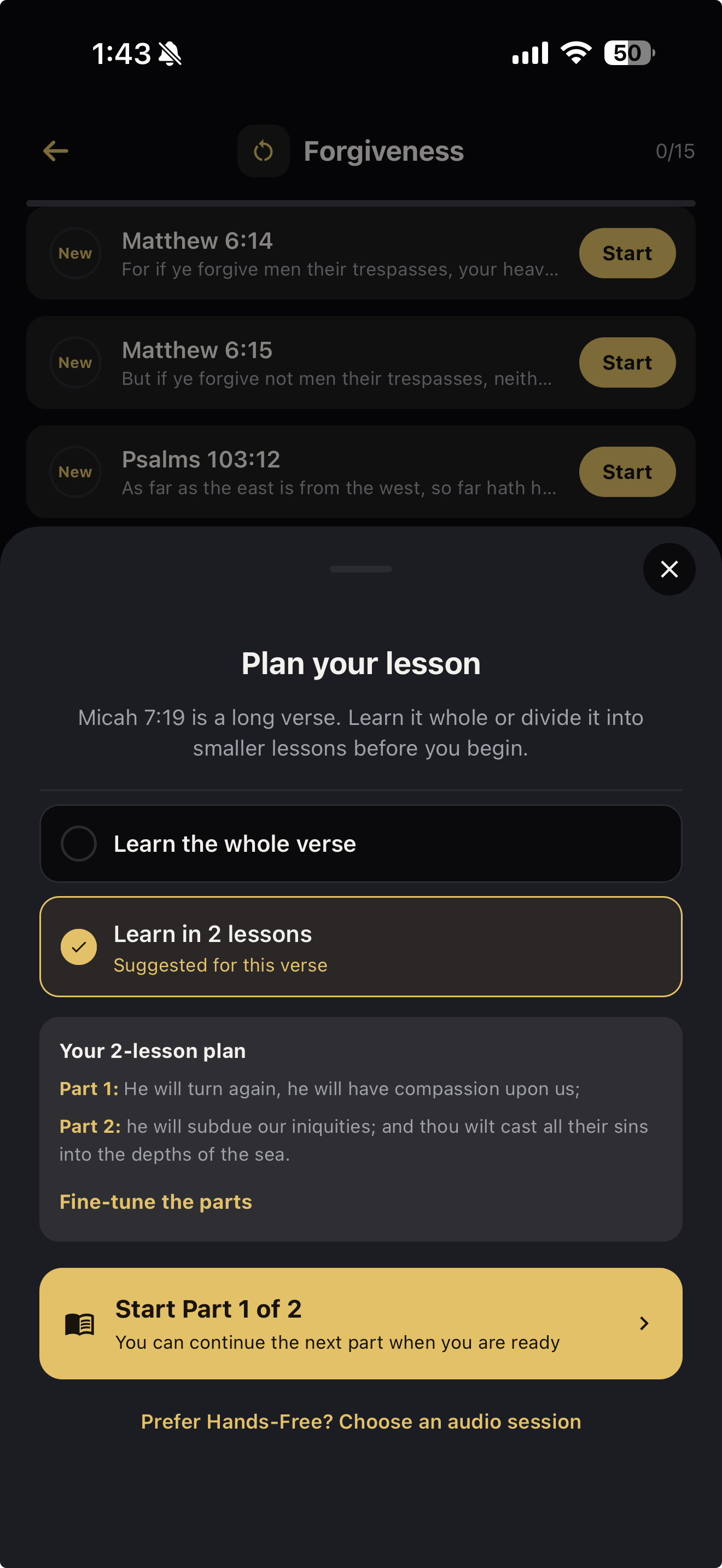
Some verses are too long to swallow whole. Ingrain asks how you’d like to approach it, suggests natural breakpoints, and lets you move them with the full passage in view.
- Your plan sticks across every later session, from every entry point.
- A capstone puts it back together — part order, then the seams, then the whole verse written and spoken.
- Chapters and passages build in blocks, with Connect steps joining them, because reciting ten verses is a different skill from reciting ten verses separately.
Scripture Compass Ingrain+
Say what you’re walking through — comfort during loss, hope for a prodigal son — and Compass finds verses that speak to it, then hands you a list to curate.
- Grounded, not invented. It works from a topical index of Scripture first and validates every suggestion against the actual Bible text.
- You decide what stays. Nothing is added until you keep it.
- It won’t pad results. Four strong verses beat ten weak ones.

The study Bible doesn’t need a signal
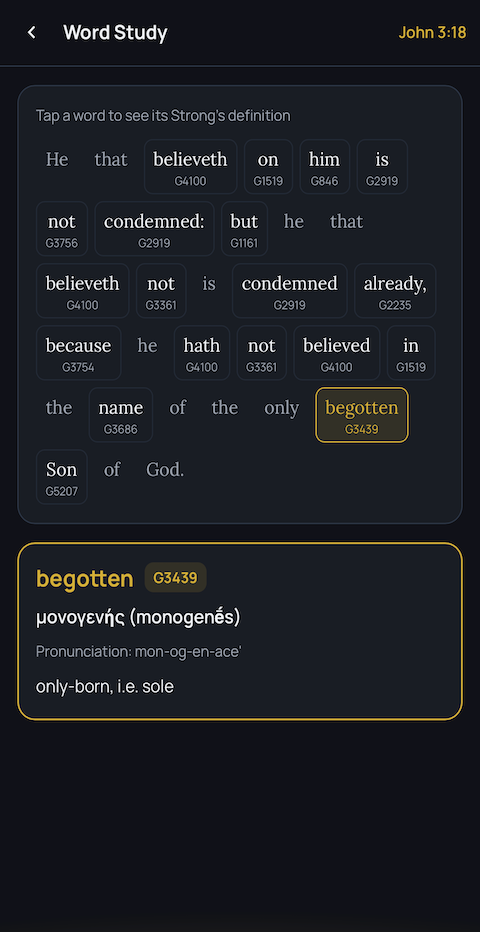
Seven public-domain translations — KJV, WEB, ASV, BSB, BBE, YLT and Douay-Rheims — with the study tools you’d expect from a dedicated Bible app. Readable on a plane or in a basement with no bars.
- Tap any word for its Strong’s Hebrew or Greek entry.
- Cross-references and a dictionary alongside the text.
- Parallel translations when the wording matters.
Offline, for real. The Bible reader and Trivia work with no connection at all. Memorization needs a signal, because verse audio is generated and your progress syncs.
For the evenings you’ve got nothing left
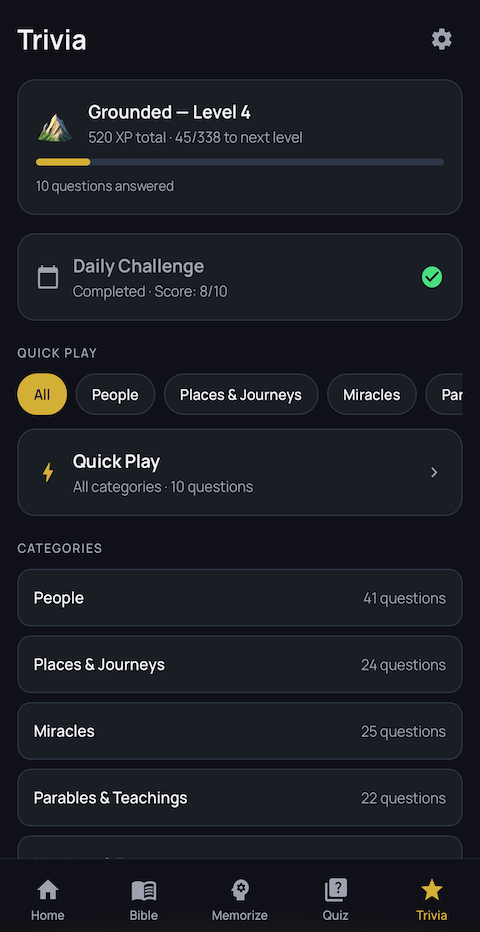
Bible trivia is its own game here, not a memorization exercise in disguise. It asks nothing of you, won’t risk your streak, and still counts as showing up.
- Questions across the whole Bible — people, places, miracles, parables, numbers and more.
- A Daily Challenge — ten questions and bonus XP, once a day.
- Ten levels to climb, Seedling to Cornerstone. XP carries you up; new challenges unlock as you go.
- A Study Map showing where your knowledge is thin.
The rest of it
All in the app. Most of it free.
21 topic packs
Peace, grief, identity, gratitude. All free.
Verse quizzes
Timed testing on what you’ve learned.
Private groups
Leader-curated verses. No chat, no feed. Free to join.
Sermon import Ingrain+
Pull the verses out of any sermon or transcript.
Widgets
Your verses on the home screen.
Shareable verses
Turn a passage into an image and send it.
Forgiving streaks
One lesson or quiz keeps the day.
Light & dark
Follows your device, or pin it.
Most memory apps hand you a flashcard
Drilling a verse until it sticks is one way to practice, and several apps do it well. Ingrain does that too — then keeps going.
| What you get | Ingrain | Other memory apps |
|---|---|---|
| Ways to practice a verse | 10 | One to three |
| Review timed to when you’d forget | ✓ | Common |
| Hands-free audio practice, screen off | ✓ | Rare |
| Long verses split where you choose | ✓ | — |
| A capstone that rebuilds the whole verse | ✓ | — |
| Passage journeys connecting verse to verse | ✓ | — |
| Describe a topic, get a list built for you | ✓ | — |
| A full study Bible that works offline | ✓ | Sometimes |
| Strong’s, cross references and dictionary | ✓ | — |
| Pull verses out of a sermon or video | ✓ | — |
| Bible trivia as its own game | ✓ | Rare |
| Private groups with leader-curated verses | ✓ | Sometimes |
| iPhone, Android and the web | ✓ | Sometimes |
| Start with no account and no email | ✓ | Rare |
“Other memory apps” describes what’s typical as of September 2026, not any one product. Where others lead, they lead — a few carry far more translations than our seven, and some are free outright. We’d rather say so.
Start free. Upgrade only if you want more.
The whole Bible, all 21 topic packs, every exercise, the study tools, quizzes and trivia are free — no account required.
Free
Forever. No account required.
- The full Bible — all 7 translations, offline
- All 21 curated topic packs
- All 10 memorization exercise types
- Strong’s, cross-references & dictionary
- Bible Trivia with XP and 10 levels, offline
- Verse quizzes and daily streaks
- Shareable verse images
- Join any group with a code
Ingrain+
Everything in Free, plus the things that go further.
- Hands-free audio memorization
- Chapter & passage plans
- Scripture Compass
- Sermon & video Scripture import
- Custom verse lists
- Create and lead groups
- Streak freezes & repair
- Advanced analytics
7-day free trial on monthly and annual. Cancel anytime.
Common questions about memorizing Scripture
How do I memorize Bible verses and actually remember them?
Short, repeated practice spread over days beats one long sitting. The method that works is spaced repetition: you review a verse a day after learning it, then three days later, then a week, then a month — each time just before you’d naturally forget it. Ingrain schedules those reviews for you and varies how it tests you, so you move from recognizing the verse to recalling it cold. One minute a day is enough to keep the schedule.
What should I look for in a Bible memorization app?
Four things. First, spaced repetition rather than plain flashcards, so reviews are timed rather than random. Second, more than one kind of practice — typing a verse, saying it aloud and reordering it use different parts of memory. Third, a way to handle long verses and whole chapters, since most apps only really work for short verses. Fourth, a translation you actually read. Price matters less than whether you’ll still be opening it in three months.
Is Ingrain free?
Yes. The full Bible in seven translations, all 21 topic packs, all 10 exercise types, the study tools, quizzes and Bible trivia are free with no account and no email. Ingrain+ costs $2.99 a month, $24.99 a year, or $79.99 once for lifetime access, and adds hands-free audio memorization, chapter and passage plans, Scripture Compass, custom lists, sermon import, group creation and advanced analytics.
Does Ingrain work offline?
Partly, and it’s worth being precise. The Bible reader and Bible trivia work fully offline — you can read, search, use Strong’s and cross-references, and play trivia with no connection at all. Memorization needs a signal, because verse audio is generated and your progress syncs across devices.
Can I memorize a whole chapter of the Bible?
Yes. Ingrain groups a chapter or passage into ordered blocks and has you build them in sequence. Once two neighbouring blocks stand on their own, a Connect step joins them, and longer passages add a cumulative map across everything you’ve built. That sequencing is the part most apps skip — reciting ten verses in order is a genuinely different skill from knowing ten verses separately.
How long does it take to memorize a Bible verse?
A short verse usually takes one session to learn and a handful of brief reviews over the following weeks to hold. Longer verses take more, which is why Ingrain lets you split them into parts and then rebuild the whole. The honest answer is that the total time matters less than the spacing: fifteen minutes spread across two weeks will beat an hour in one evening, most of which you’d lose.
Which Bible translations are included?
Seven: the King James Version, World English Bible, American Standard Version, Berean Standard Bible, Bible in Basic English, Young’s Literal Translation, and the Douay-Rheims 1899. All are public domain, which is what lets us include them at no cost to you.
What if I read the NIV or ESV?
Those are under copyright and we can’t include them. You’re not left guessing, though — during setup you tell Ingrain which translation you normally read, and it points you to the closest match among the seven. If you read the NIV or ESV, you’ll be pointed toward a modern, readable translation rather than the KJV’s older English. You can change it any time in Settings.
Can I memorize Scripture without looking at my phone?
Yes — that’s what hands-free sessions are for. Ingrain speaks the verse reference, reads the verse aloud, plays a chime, then leaves a timed silence for you to recall it, repeating two to five times per verse. It runs through your car speakers or headphones with Lock Screen controls, so it works while driving, walking or washing up. A short on-screen review afterwards confirms what stuck. Hands-free is an Ingrain+ feature, with a free Quick Start to try it.
Do I need an account?
No. You can use Ingrain as a guest and your progress stays on your device. A free account adds sync, so your streaks, progress and favorites carry across your phone, tablet and browser — and nothing is lost if you change devices.
Is my voice recorded when I say a verse aloud?
No. Speech recognition in the Speak It exercise runs entirely on your own device. No audio is uploaded to us, sent to a third party, or stored anywhere. Only the text of what you said is compared against the verse, on your phone.
How do groups work?
An Ingrain+ member creates a group and shares a join code; anyone can join free. The leader pins a focus and builds a shared library the group works through together. If you’ve already memorized something the group takes on, a short retention check earns you credit instead of making you repeat the journey. There’s no chat, no comments, no posts and no photos — nothing to scroll and nothing to police. Only the leader needs Ingrain+.
Start with one verse.
Pick a topic that meets you where you are. One minute from now, you’ll have started.